If you want to learn how to connect Xbox controller to laptop, the process is quick and simple using Bluetooth, a USB cable, or the Xbox Wireless Adapter. Once connected, Windows usually installs the required drivers automatically, allowing you to start gaming.
This guide covers every connection method, setup step, and troubleshooting solution you need to get your Xbox controller working. Whether you use an Xbox Series X|S controller, Xbox One controller, or another compatible model, the setup process is straightforward.
Most connection problems are caused by pairing issues, outdated drivers, Windows settings, or missing firmware updates. Follow the steps below to connect your controller and fix common problems without extra software.
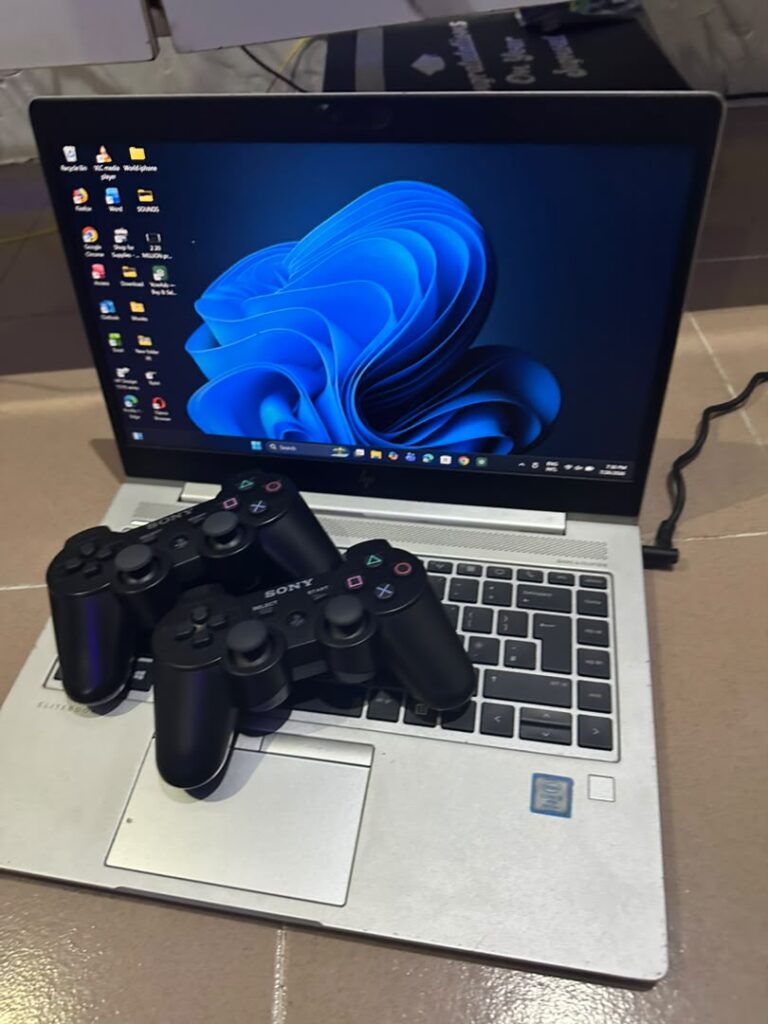
Ways to Connect an Xbox Controller to a Laptop
Before connecting your controller, identify which type of connection you want to use. Each method has different advantages depending on your laptop and gaming setup.
| Connection Method | What You Need | Best For |
|---|---|---|
| Bluetooth | Laptop with Bluetooth and compatible Xbox controller | Wireless gaming without extra accessories |
| USB Cable | USB-C or Micro USB cable depending on controller model | Fast setup and stable connection |
| Xbox Wireless Adapter | Official Xbox Wireless Adapter for Windows | Low-latency wireless gaming |
The best option depends on your laptop hardware and controller model. Newer Xbox Series X|S controllers usually work well with Bluetooth, while older Xbox One controllers may require a cable or wireless adapter.
Methods on how to Connect Xbox Controller To Laptop
Below are how to Connect Xbox Controller To Laptop:
1. Connect Xbox Controller to Laptop Using Bluetooth
Bluetooth is the easiest wireless method if your laptop supports it and your Xbox controller has Bluetooth compatibility.
Check if your controller supports Bluetooth
Look at the area around the Xbox button:
- Controllers with a separate plastic section around the Xbox button usually support Bluetooth.
- Newer Xbox Series X|S controllers support Bluetooth by default.
- Some older Xbox One controllers do not include Bluetooth.
What to do
- Turn on your Xbox controller by pressing the Xbox button.
- Press and hold the pairing button on the top of the controller for a few seconds.
- Open Settings on your Windows laptop.
- Select Bluetooth & devices.
- Turn Bluetooth on.
- Click Add device.
- Select Bluetooth.
- Choose your Xbox controller from the available devices.
- Wait until Windows confirms the connection.
Once connected, the Xbox button should remain steady instead of flashing.
Example: A student using a Lenovo laptop wanted to play racing games without sitting close to the screen. After enabling Bluetooth and pairing the controller, Windows recognized the device within seconds without installing additional software.
2. Connect Xbox Controller to Laptop Using a USB Cable
A wired USB connection is usually the quickest and most reliable way to connect an Xbox controller to a laptop. It also avoids battery problems and wireless interference.
What you need:
- Xbox controller
- Compatible USB cable
- Available USB port on your laptop
What to do
- Connect the USB cable to the controller.
- Plug the other end into your laptop.
- Wait for Windows to detect the device.
- Allow Windows to install the necessary drivers.
- Open your game and select the controller as the input device.
Most modern Xbox controllers use USB-C cables, while some older models use Micro USB connections.
Unlike Bluetooth, a wired connection usually provides lower input delay, making it a good choice for competitive games.
3. Connect Xbox Controller Using Xbox Wireless Adapter
The Xbox Wireless Adapter is Microsoft’s dedicated wireless solution for Windows laptops. It provides a connection similar to using an Xbox console controller and is especially useful if your laptop does not have Bluetooth.
Advantages of the Xbox Wireless Adapter:
- Reliable wireless connection.
- Supports multiple Xbox controllers.
- Lower latency compared with some Bluetooth setups.
- Designed specifically for Xbox accessories.
What to do
- Plug the Xbox Wireless Adapter into a USB port.
- Install any required Windows drivers.
- Turn on your Xbox controller.
- Press the pairing button on the adapter.
- Press the pairing button on the controller.
- Wait until both devices connect.
Microsoft provides official Xbox accessory support documentation for connection steps, compatibility information, and controller updates.
You can check the official Xbox Support resources for additional controller setup information.
Update Your Xbox Controller Before Playing
Sometimes a controller connects successfully but does not work correctly in games because its firmware is outdated.
What to do
- Install the Xbox Accessories app from the Microsoft Store.
- Connect your controller using USB.
- Open the app.
- Select your controller.
- Install any available firmware updates.
Keeping your controller updated improves compatibility with newer games and Windows features.
Common Xbox Controller Connection Problems on Windows and How to Fix Them
Even after following the correct steps to connect Xbox controller to laptop, you may sometimes experience problems such as the controller not appearing in Bluetooth settings, disconnecting during gameplay, or failing to work inside a specific game. These issues are usually caused by outdated drivers, incorrect Windows settings, low battery power, or pairing problems.
The good news is that most connection problems can be fixed with a few simple adjustments.
1. Restart Bluetooth and Pair the Controller Again
If your Xbox controller appears in the Bluetooth menu but refuses to connect, removing the existing pairing and starting again often solves the issue.
What to do
- Open Settings on Windows.
- Go to Bluetooth & devices.
- Find your Xbox controller in the device list.
- Select Remove device.
- Turn Bluetooth off and back on.
- Put the controller into pairing mode again.
- Add the controller as a new Bluetooth device.
This process clears old pairing information that may prevent Windows from creating a stable connection.
Example: A gamer using an ASUS laptop noticed that his controller connected once but failed every time afterward. Removing the old Bluetooth profile and pairing again restored the connection immediately.
2. Check and Update Xbox Controller Drivers
Windows usually installs Xbox controller drivers automatically, but outdated or corrupted drivers can stop the controller from working correctly.
Signs of a driver problem include:
- The controller connects but buttons do not respond.
- Windows repeatedly installs the controller.
- The controller appears with an error symbol in Device Manager.
- Games do not detect the controller.
What to do
- Right-click the Windows Start button.
- Select Device Manager.
- Expand Xbox Peripherals or Human Interface Devices.
- Right-click your controller.
- Select Update driver.
- Choose automatic driver search.
You can also install Windows updates because Microsoft frequently includes hardware compatibility improvements through system updates.
For additional Windows troubleshooting, you can read our guide on Windows 11 Running Slow? 18 Proven Fixes to Speed Up Your PC (2026), which covers driver, performance, and system optimization issues.
3. Replace or Recharge the Controller Batteries
A low battery is one of the most overlooked reasons an Xbox controller fails to connect or disconnects randomly.
What to do
- Replace AA batteries if your controller uses disposable batteries.
- Recharge your battery pack completely.
- Connect the controller using USB to test whether the issue is battery-related.
If the controller works correctly through USB but not wirelessly, the battery or wireless connection is likely the problem.
4. Make Sure Your Game Supports Controllers
Sometimes the Xbox controller connects successfully to Windows but does not work inside a game. This does not always mean the controller is faulty.
Some games require controller support to be enabled manually, while others only recognize specific input methods.
What to check
- Open the game’s settings menu.
- Look for Controller, Input, or Gamepad options.
- Enable controller support if available.
- Restart the game after connecting the controller.
Platforms such as Steam also have controller configuration settings that may need adjustment.
5. Use a Different USB Cable
Not every USB cable can connect an Xbox controller to a laptop. Some cables only provide power and cannot transfer data.
What to do
- Try another USB cable.
- Use a cable known to support data transfer.
- Connect directly to the laptop instead of using a USB hub.
- Try another USB port.
A faulty cable can make the controller appear broken when the actual problem is the connection path.
6. Run Windows Bluetooth Troubleshooter
Windows includes built-in troubleshooting tools that can automatically detect common Bluetooth problems.
What to do in Windows 11
- Open Settings.
- Select System.
- Choose Troubleshoot.
- Select Other troubleshooters.
- Run the Bluetooth troubleshooter.
The tool may repair incorrect Bluetooth settings, restart related services, or identify driver problems.
If you regularly troubleshoot Windows hardware issues, our guide on Laptop Touchpad Not Working? Here’s How to Get It Working Again covers similar solutions for fixing unresponsive devices.
7. Update Windows Of Your Laptop
An outdated version of Windows can sometimes cause compatibility problems with newer Xbox accessories.
What to do
- Open Windows Settings.
- Select Windows Update.
- Click Check for updates.
- Install available updates.
- Restart your laptop.
Keeping Windows updated improves compatibility with Bluetooth devices, USB accessories, and gaming hardware.
You can find additional official guidance through Microsoft Windows Support.
8. Reset the Xbox Controller
If the controller has previously connected to another device, such as an Xbox console, phone, or another laptop, it may still be trying to connect to that device.
What to do
- Turn off the controller.
- Remove the batteries for a few seconds.
- Reconnect the batteries.
- Press the Xbox button.
- Hold the pairing button and connect it again to your laptop.
This forces the controller to search for a new connection.
9. Check Xbox Accessories App
The Xbox Accessories app is Microsoft’s official tool for managing compatible Xbox controllers on Windows.
It allows you to:
- Update controller firmware.
- Configure button layouts.
- Check controller information.
- Improve compatibility with games.
What to do
- Open Microsoft Store.
- Search for Xbox Accessories.
- Install the app.
- Connect your controller.
- Check for firmware updates.
10. Remove Other Connected Controllers
If multiple controllers or Bluetooth devices are connected, Windows may select the wrong input device.
What to do
- Disconnect unused controllers.
- Remove old Bluetooth devices.
- Restart your laptop.
- Connect only the Xbox controller you want to use.
This is especially useful for users who switch between multiple gaming devices.
When Should You Replace Your Xbox Controller?
Most connection problems are software-related, but some situations indicate the controller itself may be damaged.
Consider replacing the controller if:
- The controller does not power on with new batteries.
- Buttons do not respond even through USB.
- The USB port is physically damaged.
- The controller constantly disconnects on multiple devices.
- Firmware updates fail repeatedly.
Before buying a replacement, test the controller on another computer or Xbox console to confirm whether the issue follows the controller.
How to Improve Xbox Controller Performance on a Windows Laptop
After you successfully connect Xbox controller to laptop, a few additional adjustments can improve your gaming experience. A controller that works correctly should have a stable connection, accurate button response, and minimal input delay.
Small improvements such as updating firmware, reducing wireless interference, and adjusting Windows settings can make a noticeable difference, especially during competitive games.
1. Keep Your Controller Firmware Updated
Microsoft regularly releases firmware updates for Xbox controllers. These updates can improve compatibility, fix connection problems, and enhance reliability with newer Windows versions.
What to do
- Open the Xbox Accessories app on Windows.
- Connect your controller using USB.
- Select your controller from the app.
- Install any available firmware update.
- Restart your laptop after the update completes.
Updating firmware is especially useful if your controller connects but frequently disconnects during gameplay.
2. Reduce Wireless Interference
Bluetooth and wireless connections can be affected by nearby devices. Although modern Xbox controllers handle interference well, crowded wireless environments can sometimes cause delays or disconnects.
Try these improvements:
- Move closer to your laptop.
- Disconnect unused Bluetooth devices.
- Avoid placing your laptop behind large objects or metal surfaces.
- Keep wireless routers and other transmitters away when possible.
Example: A user playing from a desk near several wireless accessories experienced controller lag. After disconnecting unused Bluetooth headphones and moving the controller closer, the delay disappeared.
3. Enable Controller Support in Gaming Platforms
Connecting your Xbox controller to Windows does not always guarantee that every game will recognize it automatically. Some platforms have their own controller settings.
For Steam users:
- Open Steam.
- Go to Settings.
- Select Controller.
- Enable Xbox controller support.
- Restart Steam.
Other gaming platforms may have similar settings. Always check the game’s controller configuration menu if buttons are not responding correctly.
4. Calibrate the Controller if Inputs Feel Incorrect
If your character moves without touching the joystick or buttons feel inaccurate, calibration may help identify whether the issue is software-related.
What to do
- Press Windows + R.
- Type joy.cpl.
- Press Enter.
- Select your Xbox controller.
- Choose Properties.
- Test the buttons and joystick movement.
If the controller fails testing on multiple devices, the hardware may require repair or replacement.
5. Use a Wired Connection for Competitive Gaming
Bluetooth is convenient, but a wired USB connection can provide a more consistent experience for games where every input matters.
A wired connection can help with:
- Reduced input delay.
- Stable performance during long gaming sessions.
- No battery interruptions.
- Fewer wireless interference problems.
Many competitive players prefer wired controllers for racing games, fighting games, and fast-paced multiplayer titles.
How to Check if Windows Recognizes Your Xbox Controller
If you are unsure whether the connection worked, Windows provides a simple way to confirm that the controller is detected.
What to do
- Press Windows + R.
- Type joy.cpl.
- Press Enter.
- Select your Xbox controller.
- Click Properties.
You should see button presses and joystick movements appear on the testing screen. If nothing responds, Windows may not be communicating correctly with the controller.
Common Mistakes When Connecting an Xbox Controller to a Laptop
Many connection problems happen because of simple setup mistakes. Avoiding these errors can save time.
1. Using a Charging-Only USB Cable
Some USB cables provide power but cannot transfer data. The controller may charge but fail to communicate with Windows.
2. Assuming Every Xbox Controller Has Bluetooth
Older Xbox One controllers may require a USB cable or Xbox Wireless Adapter because they do not support Bluetooth.
3. Ignoring Controller Firmware Updates
An outdated controller may work poorly with newer games or Windows updates.
4. Leaving the Controller Connected to Another Device
The controller may automatically attempt to reconnect to a previous Xbox console, phone, or computer.
How to Disconnect an Xbox Controller From a Laptop
Knowing how to disconnect your controller properly can help when switching between devices.
Bluetooth method:
- Open Windows Settings.
- Select Bluetooth & devices.
- Choose the Xbox controller.
- Select Remove device.
USB method:
Simply unplug the USB cable from your laptop.
Wireless Adapter method:
Turn off the controller by holding the Xbox button until the light goes off.
Frequently Asked Questions About Connecting Xbox Controller to Laptop
1. Can I connect an Xbox controller to any Windows laptop?
Most modern Windows laptops support Xbox controllers through USB, Bluetooth, or an Xbox Wireless Adapter. However, Bluetooth availability depends on both the laptop and controller model.
2. Why won’t my Xbox controller connect to my laptop?
The most common causes are low battery power, Bluetooth pairing problems, outdated drivers, incompatible cables, or an older controller without Bluetooth support.
3. Do I need to install drivers to connect an Xbox controller?
Usually, no. Windows automatically installs the required drivers when you connect a compatible Xbox controller. Manual driver updates may be needed if Windows fails to detect the device correctly.
4. Can I connect an Xbox controller without Bluetooth?
Yes. You can use a USB cable or the official Xbox Wireless Adapter for Windows if your laptop does not have Bluetooth.
5. Can I use an Xbox controller for PC games?
Yes. Many Windows games support Xbox controllers automatically because Microsoft’s XInput system is widely supported across PC gaming platforms.
6. Why does my Xbox controller keep disconnecting from my laptop?
Repeated disconnections are commonly caused by weak batteries, outdated firmware, wireless interference, or Bluetooth driver problems. Updating firmware and reconnecting the controller usually solves the issue.
Final Thoughts On Connect Xbox Controller To Laptop
Learning how to connect Xbox controller to laptop is simple when you choose the right method, whether through Bluetooth, a USB cable, or an Xbox Wireless Adapter.
Most connection issues can be fixed by checking battery power, pairing settings, USB connections, Windows updates, and controller firmware. Before replacing your controller, try these troubleshooting steps first.
A properly connected Xbox controller can improve your laptop gaming experience for racing, action, sports, and many other games.